
Where to Access It
Once you log into the Simple Mining Dashboard, you will see the Health Report in top right hand corner of your homepage. The report can also be exported as a PDF.

What's in It
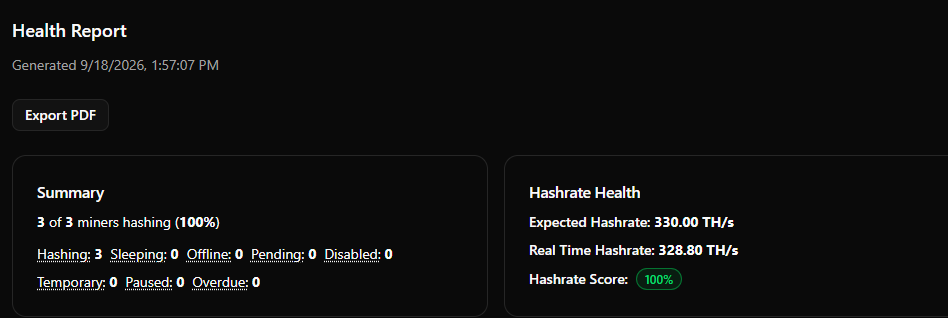
Summary — Fleet-wide counts: total miners, how many are hashing (with %), plus sleeping, offline, pending, disabled, and temporary units.
Hashrate Health — Your expected vs. real-time hashrate, plus a color-coded Hashrate Score (real-time as a % of expected) as a single at-a-glance health metric.
Hosting Tickets — Open and recently completed repair counts, plus a table of every active ticket showing its miner, status (e.g., Diagnosed, At Repair Center, Unrepairable), and latest note. This is where you track each downed unit through repair.
Invoice Health — Total invoices, total spend, and any unpaid balance.
Hashrate Performance (30D) — Your average hashrate over the past 30 days, showing sustained output over time.
Miners — Every unit listed individually with a health indicator (green = hashing, red = down, gray = disabled), a flag for active repair tickets, model, last check-in, and current hashrate.
What You Can Diagnose
At a glance you can see overall fleet health, which specific units are down or underperforming, whether each one already has a repair ticket open, how repairs are progressing, and your account's financial standing.